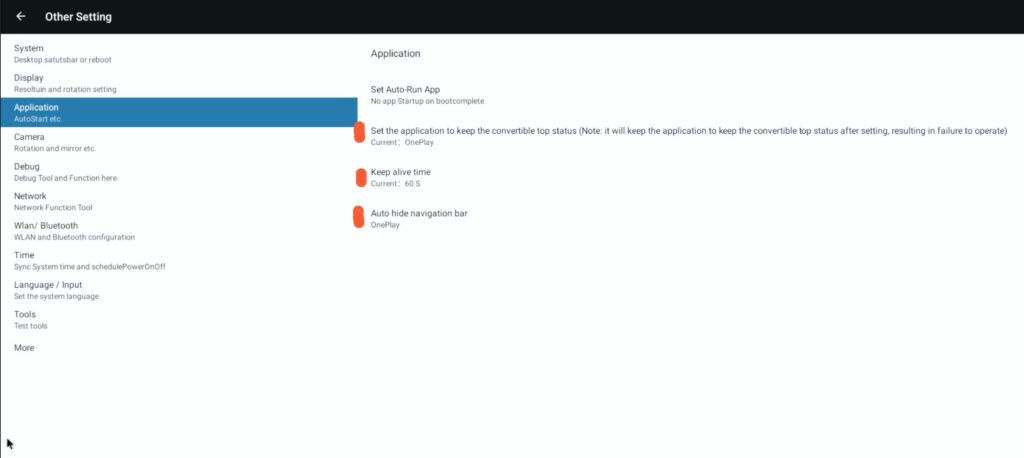
The OnePlay app manager settings will configure your OnePlay player to lock in on the app and not allow any services to take over the screen. Also it will re-launch the app automatically if it is ever closed or another app is selected.
To turn on the app manager go to Settings > Other Setting > Application
And tune the settings in this order:
1: Set the keep alive time to 60s
IMPORTANT: SET THE KEEP ALIVE TIME TO 60s FIRST OTHERWISE YOU MAY BE KICKED OUT OF THE SETUP SCREEN
2: Set auto-hide navigation bar to OnePlay
3. Set Application to keep as OnePlay
Settings will auto-save and you proceed back to the Home Screen or wait 1 minute and the App Manager will take over